Getting started
Follow these steps to get your mapping environment running from scratch.
Create a Virtual Environment
It is highly recommended to use a virtual environment to avoid version conflicts between PyQt6 and other Qt-based tools.
# Create the environment
python -m venv .venv

# Activate it
# On Windows:
.venv/Scripts/activate
# On Mac/Linux:
source .venv/bin/activate
Install PyQtGraph-GIS
Implementation
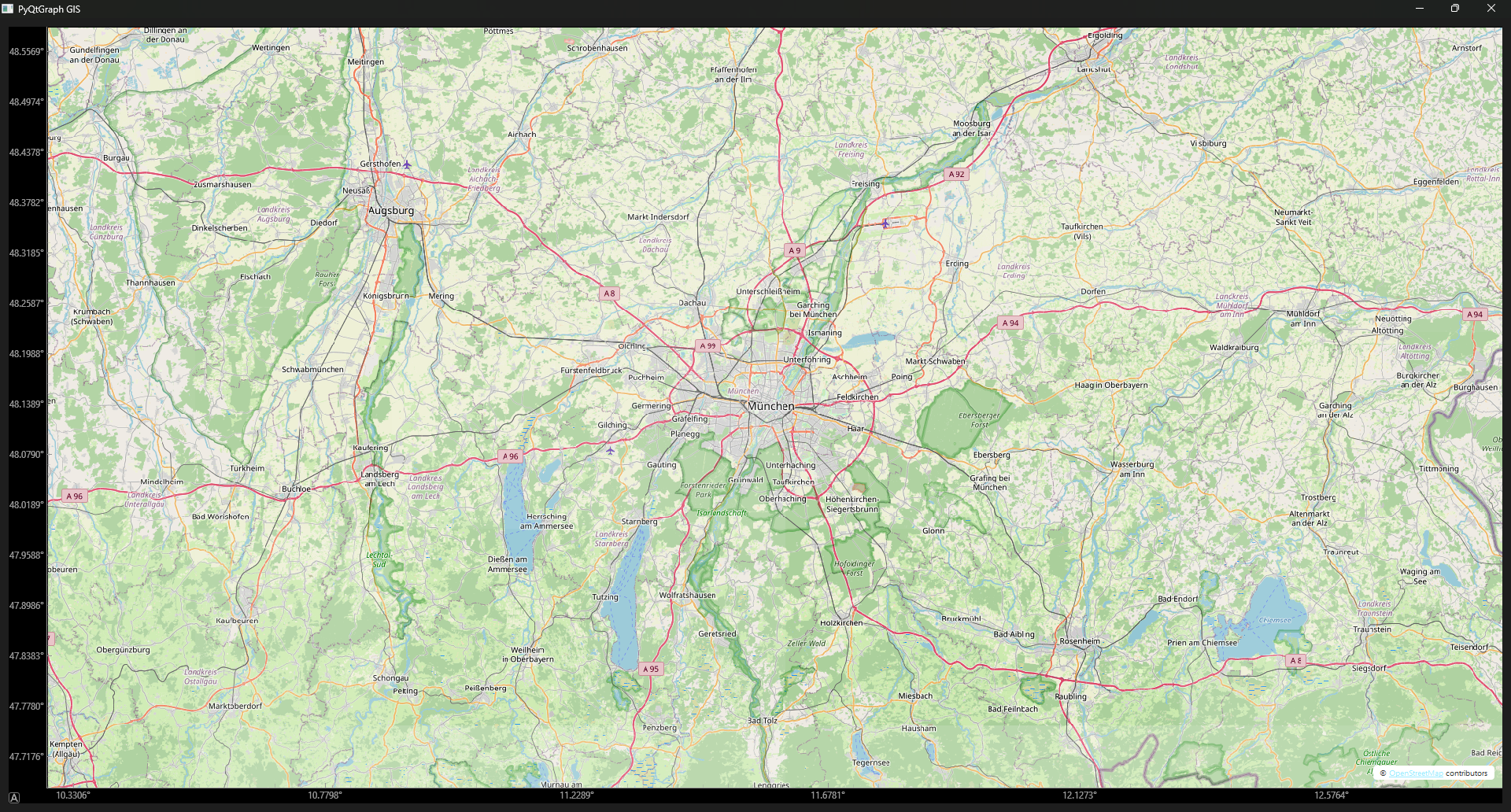
Create a python file for your script.
For this guide we will use OpenStreetMap as our tile provider.
Important
When using OpenStreetMap as the tile provider it is very important to include a custom User-Agent and an attribution text, as per their Usage Policy.
from pyqtgraph_gis import MapWidget
from PyQt6 import QtWidgets

if __name__ == "__main__":
    app = QtWidgets.QApplication([])
    w = QtWidgets.QWidget()

    # Required for OSM Tile Server compliance
    headers = {
        "User-Agent": "MyMapApp/1.0 (contact: email@example.com)"
    }

    w.setWindowTitle("PyQtGraph GIS")
    layout = QtWidgets.QGridLayout()
    w.setLayout(layout)

    # Initialize the map with OSM tiles and proper attribution
    widget = MapWidget(
        "https://tile.openstreetmap.org/{z}/{x}/{y}.png",
        headers=headers,
        attribution_text='© <a href="https://openstreetmap.org/copyright">OpenStreetMap</a> contributors'
    )

    # Add a marker (e.g., North Cape)
    # Coordinates are [Latitude], [Longitude]
    north_cape = widget.scatter([71.1725], [25.784444], symbol="o", size=10, brush="r")

    layout.addWidget(widget, 0, 0)
    w.show()
    app.exec()